Real Time Settings, Save Overhaul, & a Wiki
Overview
Happy holidays! This month a good amount got done bringing yet more quality of life changes to the game. Namely an overhaul of the saving system, logging, crash reporting, and live settings! Those along with a new but empty wiki.
I am quite proud of the live settings stuff. Like it's not anything I've seen elsewhere. If you find this interesting and find the game interesting I would encourage you to give the game a wishlist on steam. It helps a ton.
Also, I recently took the public demo down from Steam. At this point it REALLY does not reflect the quality and polish of the current state of the game. I eventually plan on putting up a "Demo 2" build on steam the reflects the work that will happen in the next upcoming months.
So without further ado here are the latest areas of work.
Save Overhaul
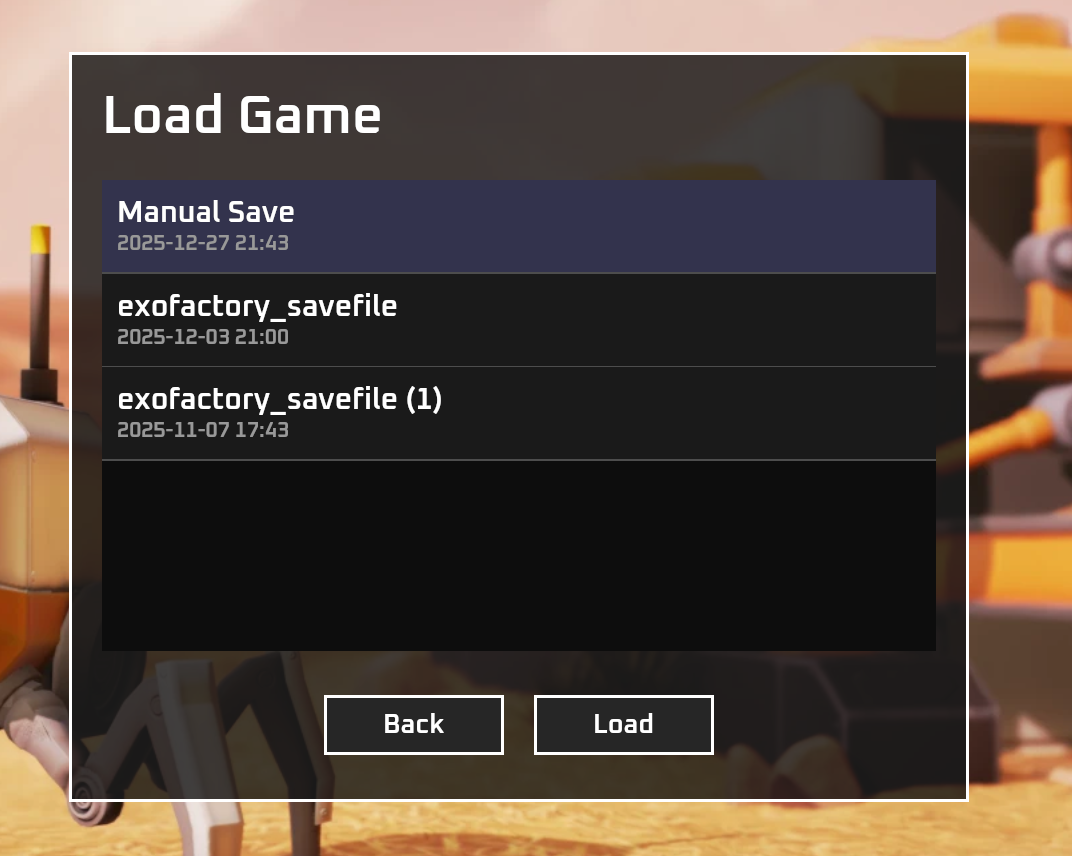
The most demotivating thing that can happen in a factory game is that you get a ton of work done, then lose the progress. I had a few players experience this and I wanted to come up with a solid approach that works. I ended up keeping things simple and used a looping timer to automatically save the game every 5 minutes with a looping set of 5 saves each new save overwriting the last. This was pretty trivial to do with just a Bevy timer and a a baby state machine.
This auto saves the game while allowing for manual saves when needed.
Additionally the player can continue the most recent save OR manually pick an existing save. For now the load screen is just a minimal Bevy UI window. Lot safer to play for not too much effort in coding.
Right now the default is 5 saves each 5 min apart, but if you edit the config.toml file you can change that.
Crash Reporting & Logging Rework
The top feature I wanted as a developer was proper logging and crash reporting in production builds. While I have been trying my best to keep things clean, an area where I had neglected things was logging. I was using a mixture of print! println! eprint! eprintln! info! warn! error! all over the place. Debug prints became permanent output.
On the windows build you couldn't see half of it even if you launched the game from powershell. I took a three step approach to fixing this.
- Drop all the stdout/err stuff except for
info!warn!error!andpanic!. Migrating one plugin at a time. - Added a non-blocking tracing capture system that appends the output to a log file.
- Wrote logic around the log file. If there was no clean exit the user is given the option to automatically upload the logs as part of a crash report.
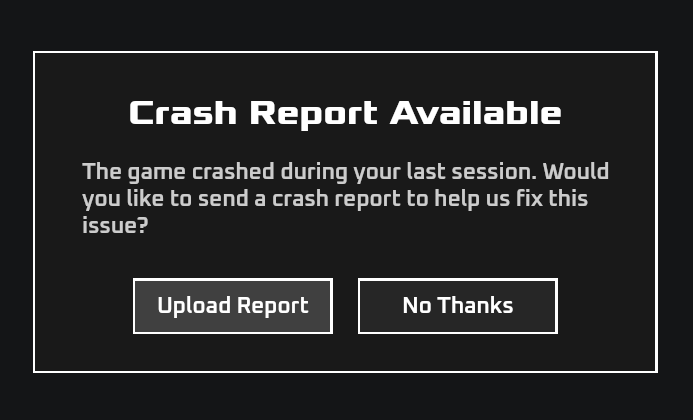
The player now has logs the can check if they are so inclined, and the player can automatically upload those logs as part a crash report. I am sure legacy game engines have this sort of thing built in, but I am just happy to have it now. No more "what were you doing just before the game crashed?" discussions.
Lastly added a small library that shows panics in the GUI. Worst, worst case a player could copy paste the output.
Settings Overhaul
This is the stuff I am super happy with. Before the most recent (internal) build you could not access the settings in the game, and changing and settings required a game restart. Not good.
I blame my backend programming history for that one. After hearing from players that the state of settings was not really acceptable I set off on overhauling it.
I took an ECS/Bevy centric approach and think it went well.
The way that settings work now is that settings are serialized/deserialized to/from the config.toml file and is represented in game as a series of Resource structs.
I added a few systems that run when those structs are created or change and update the components that reflect the setting that was changed.
For example let's consider changing ScreenSpaceAmbientOcclusion settings in the game.
In a ECS world this is easy. We find the global camera entity by getting entities with the Exofactory GlobalCamera component. Since the camera is just a bundle of components we can grab the ScreenSpaceAmbientOcclusion component as well and modify it in real time keeping it in sync with the graphics setting resource.
The same can be applied to any setting.
All settings are just properties in a resource struct that are mirrored onto specific components.
The result is that the player can edit any setting at and time in real time including language, graphics, window size/mode, along with everything else.
Pretty cool in my book.
Wiki
The idea behind the wiki is to provide a community oriented wiki that is performant, available, and not exploitive. Unless anyone has a better approach, I aim to have the wiki licensed under Creative Commons Attribution-NonCommercial-ShareAlike 4.0 International.
While I agree that it is a bit early to set up the wiki I wanted to do so because of:
- A genuine need for documentation around the config.toml file.
- A desire to short circuit any wikis being built on less community oriented platforms.
There isn't too much to be said except that as the game gets closer to launch the wiki will become even more useful.
For now account creation is closed, but will be open later as things become more playable. This all being said if anyone is a mediawiki theme specialist do reach out. The default theme is ok, but not exactly ideal.
Conclusion
ECS once again shows how cool it is. Going from reboot for every setting change to all changes being applied live was shockingly easier than I expected.
That and the save system WITH crash reporting is a really nice to have.
Quite happy and I am excited to get working properly on the much better demo 2.